Invoice and order processing is one of those tasks that sounds simple until you actually sit with it. I wanted to understand how n8n, Make, and Zapier each handle the same real-world problem, not just in theory, but by building every node and making them actually work. These are the results.
Someone emails you an invoice. The attachment is automatically saved to cloud storage, the key details (vendor, amount, due date) are extracted and logged to a spreadsheet, then a notification email is sent to your accounting team.
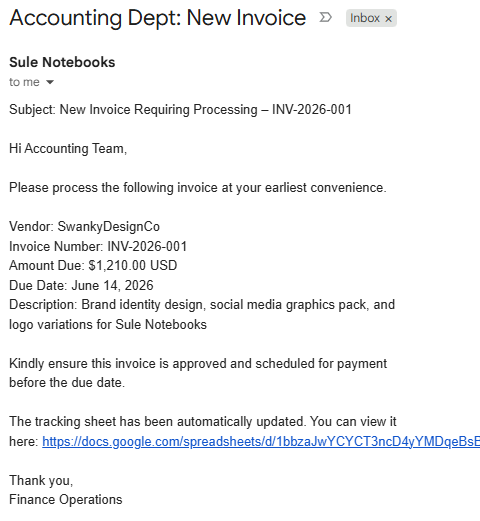
A customer emails an order. The details are automatically extracted and logged to a spreadsheet, then a confirmation email is sent back to the customer.
Self-hosted · Gmail → Google Drive → AI extraction → Sheets → Confirmation email
Because it's self-hostable and open source, n8n gives you full visibility into what's happening at every node. I built this workflow twice: first as a multi-step version that separates file extraction and AI reasoning into distinct nodes, then a second pass to see if I could simplify it.

Version B came from a simple question: is there a way to simplify this? The Analyze Document node turned out to be the answer: it reads the document and runs AI extraction natively, removing the need for a separate Extract from File step and keeping the canvas cleaner.
- After revisiting the workflow, sending a confirmation back to the original sender is also possible by adding an additional Send Email node at the end.
Visual flow builder · Gmail · Dropbox · Anthropic · Google Sheets
Make's visual interface looked more intuitive, so I wanted to see how it handled both workflows. I built two scenarios: one that processes incoming order emails directly, and one that routes invoice attachments through Dropbox for storage before processing.
Make's canvas-based interface is visually polished and easy to navigate. But Make didn't have a built-in way to parse a PDF from Dropbox and push the data cleanly into Sheets, so the Dropbox variant ended up getting rebuilt in Zapier, which has been around longer and has more mature integrations for exactly this kind of document-handling workflow. n8n and Zapier ended up being the better fit for the PDF extraction use case.
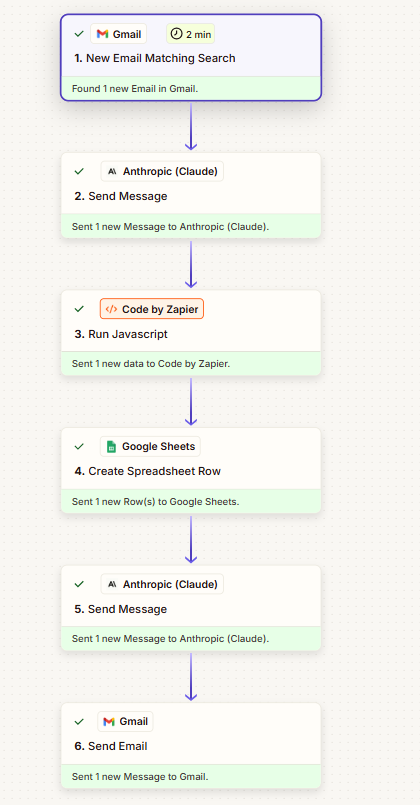
Gmail · Anthropic (Claude) · Code by Zapier · Google Sheets · Gmail
Zapier was where I started, and I'd recommend it as a starting point for workflows like this. I actually found Make's interface more visually intuitive, but Zapier's library of integrations is significantly larger, and for document processing specifically that matters. Zapier has native PDF extraction built in, deep Gmail and Google Drive integration, and a large enough ecosystem that you're unlikely to hit a wall when you need to connect something new. Make is catching up, but when you need to extract structured data from a PDF attached to an email and route it somewhere useful, Zapier's longer track record shows. It's also the platform most likely to have a pre-built integration for whatever tool a client is already using, which in practice means less custom work to get a workflow running.